
Two Bridges
The web app moved from Angular to React over a year, with both frameworks running together while the team migrated one surface at a time.
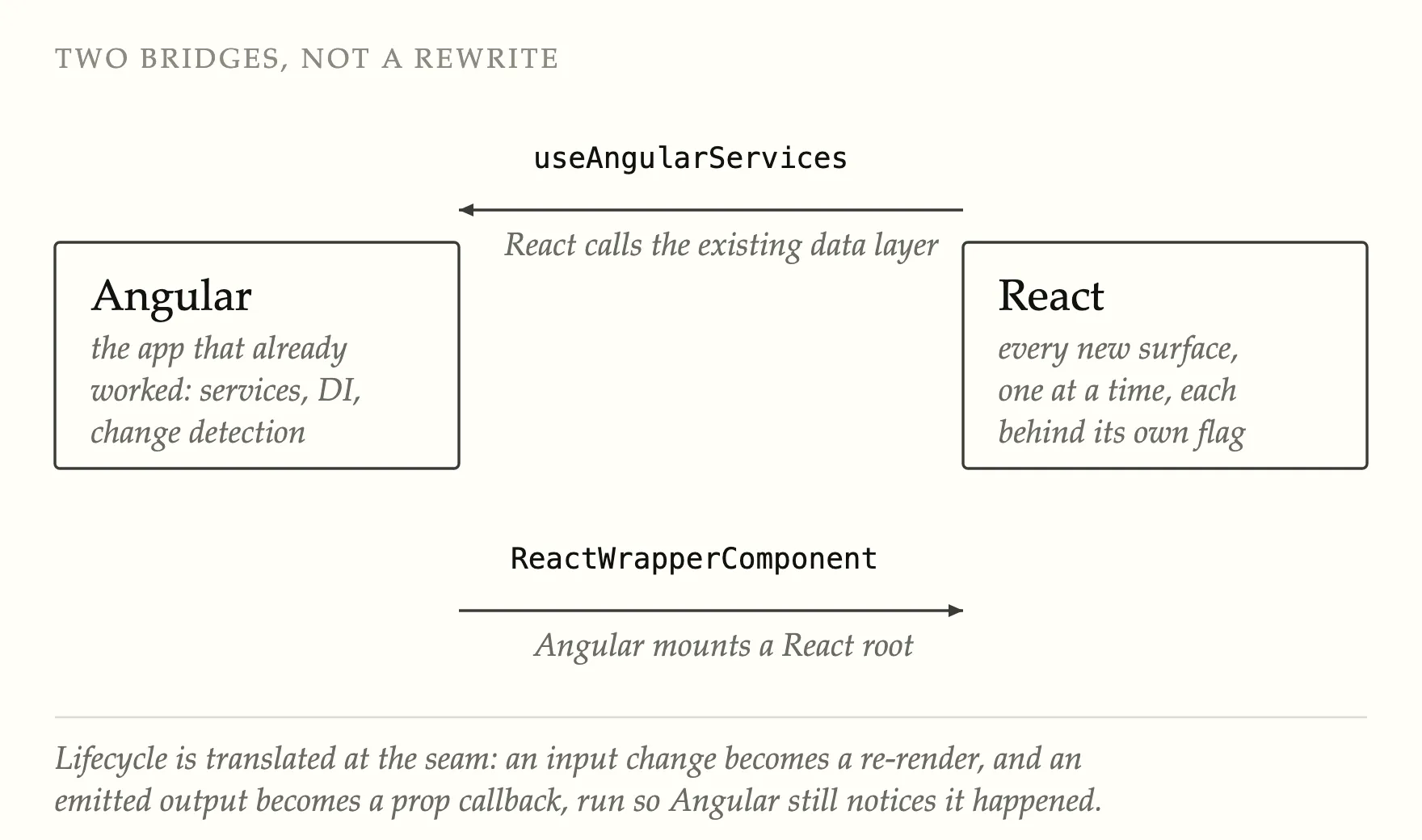
This let the team continue shipping changes during the migration. The integration bridges let new React surfaces reuse Angular services, while Angular continued to host the React components until each area was ready to move.
Integrating Angular and React
An incremental migration needs its boundary to work in both directions: new React code needs the data the old application already knows how to fetch, and the old application needs somewhere to put the new components.
A React hook accessed Angular’s dependency injector through React context, allowing new components to use existing services. An Angular component mounted a React root and mapped input changes to re-renders and emitted outputs to prop callbacks. These updates ran inside Angular’s zone so change detection continued to work.
When a React root was mounted inside Angular, its updates had to run inside Angular’s zone for change detection to update the rest of the page.
Migrating application areas in stages
Routing went first: a React router behind a flag, then the auth, active-organisation, access-check and flag-based guards. Everything after that was a surface at a time, each behind its own flag, each shippable on its own. Log search, the charts, monitors and their modals, the rehydration flows.
Auth, user, organisation, SAML, theme and cluster services were replaced by React stores and hooks. A lint rule prohibited imports of each Angular service after its React replacement was added.
The remaining Angular dependencies were isolated in one workspace project. Lint rules then identified remaining usages and prevented new imports, helping the team remove the dependencies in stages.
Selecting a component library
Seven engineers evaluated the candidate libraries independently before comparing results, reducing the risk that early group discussion would influence individual scores.
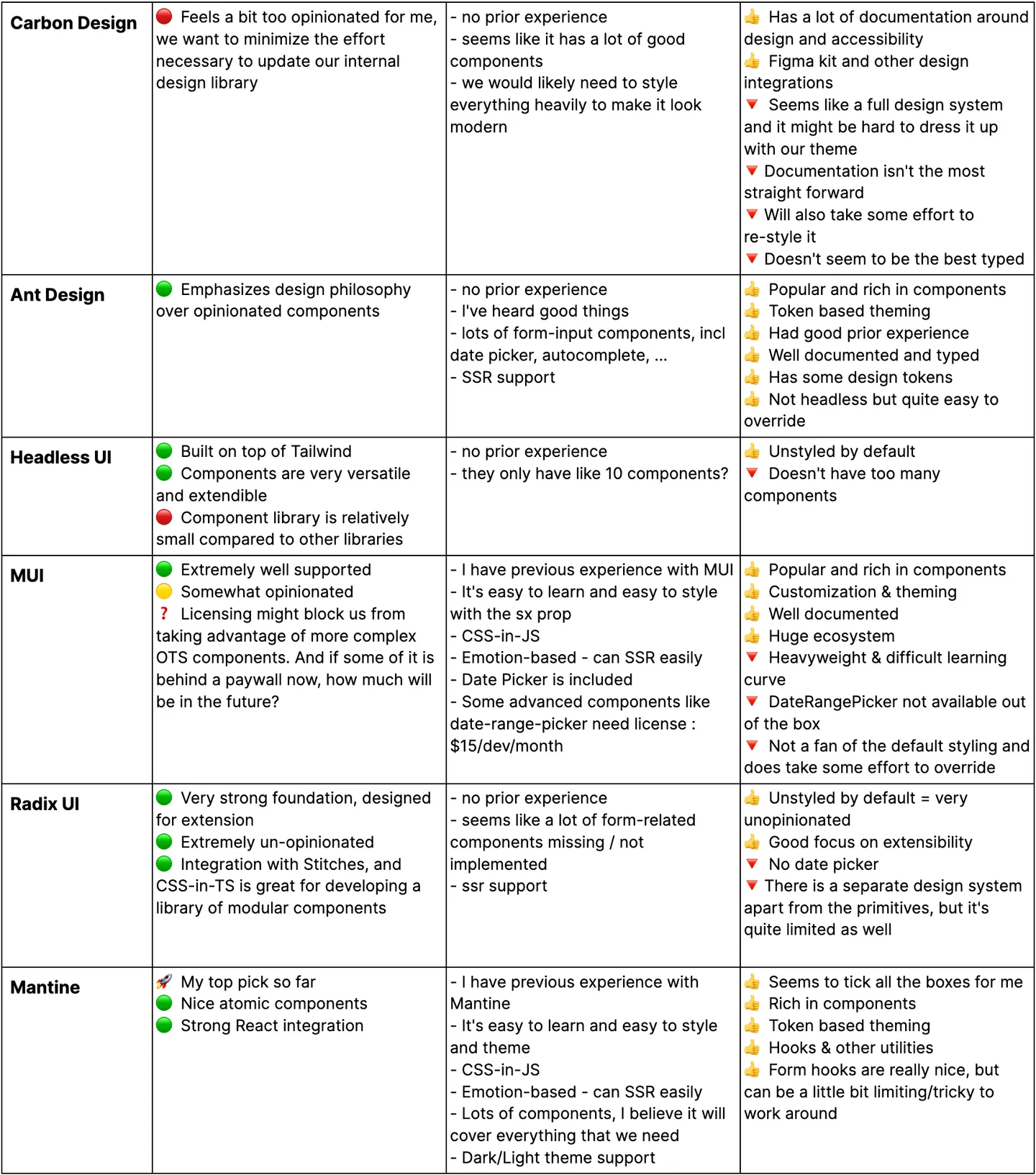
The evaluation selected Mantine, which had the least restrictive styling for the existing application. Date-picker support was also compared as an indicator of each library’s component coverage.
Shipping the standalone app
The application was deployed as a standalone Vite build with its own environment configuration. Source maps were uploaded to Sentry, and end-to-end tests ran against preview and staging before production rollout.
A deployment can remove files still requested by an older open page. The application handles missing-chunk errors so users can recover rather than seeing a blank panel.
The result was a standalone Vite build that no longer depended on Angular. Feature flags supported the gradual rollout, and lint rules prevented new code from depending on Angular services after their React replacements were in place.